

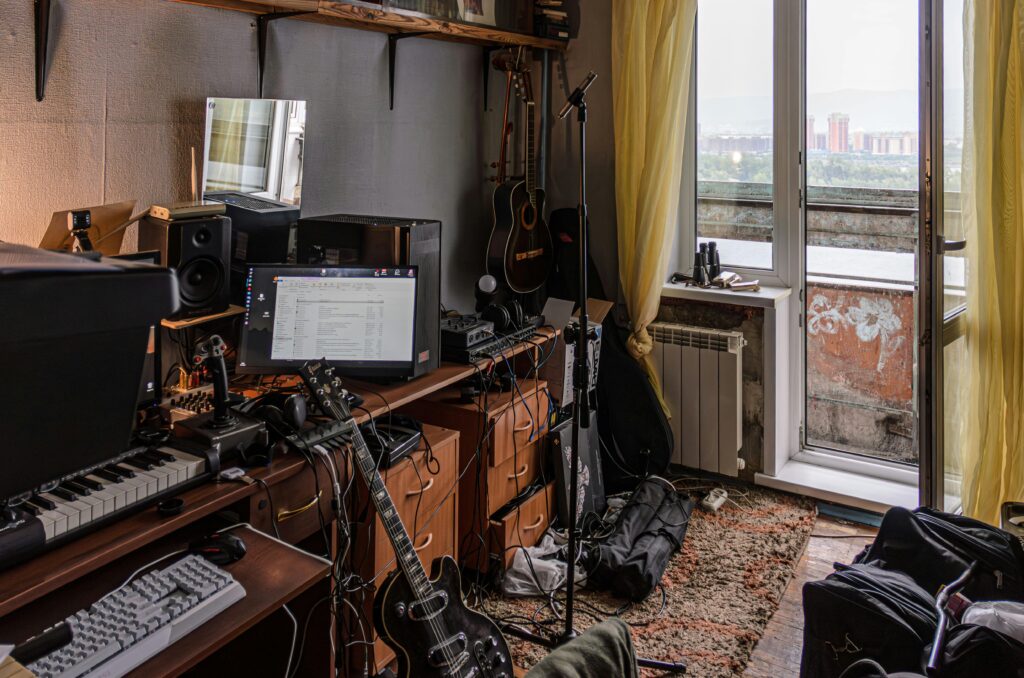

DIY Home Studio Setup on a Budget: The Ultimate Guide for Aspiring Musicians and Creators
Author By : Rajab Ali
Introduction: Why Build a Home Studio?
With the rise of independent music production, podcasting, streaming, and content creation, a home studio has become essential. But you don’t need thousands of dollars to get started.
A DIY home studio setup on a budget allows musicians, voice artists, and creators to:
Produce professional-quality recordings
Experiment with music production
Stream or podcast from home
Save money compared to renting commercial studios
This guide walks you through everything — from gear selection to acoustic treatment and software setup — to help you create a productive and budget-friendly studio.
Planning Your Home Studio
Before buying equipment, plan your studio carefully.
1. Identify Your Needs
Music production, podcasting, or streaming?
Solo recording or multi-person sessions?
Acoustic recording or electronic music?
2. Choose the Right Space
Quiet area with minimal outside noise
Limited echo and reflective surfaces
Enough room for desk, equipment, and chair
3. Set a Budget
Decide on maximum spending (e.g., $300–$1000 for beginners)
Prioritize essentials first (microphone, audio interface, headphones)
Essential Equipment for a DIY Home Studio
1. Microphones
USB Microphones: Affordable and easy to use (Blue Yeti, Audio-Technica AT2020USB)
XLR Microphones: Better quality, require audio interface (Audio-Technica AT2020, Shure SM57)
2. Audio Interface
Converts analog signals to digital
Budget options: Focusrite Scarlett Solo, Behringer UMC22
3. Headphones
Closed-back headphones for monitoring
Affordable options: Audio-Technica ATH-M20x, Sony MDR-7506
4. Studio Monitors (Optional on Budget)
Useful for accurate sound mixing
Budget: PreSonus Eris E3.5, Mackie CR3
5. Pop Filter and Mic Stand
Pop filters reduce plosive sounds
Adjustable mic stand for comfort
6. DAW (Digital Audio Workstation)
Software for recording and producing music
Free or affordable: Audacity, Cakewalk, Reaper
Paid options: FL Studio, Ableton Live, Logic Pro X
Setting Up Your Studio on a Budget
Step 1: Desk and Chair
Choose a stable desk for monitors and keyboard
Comfortable chair for long sessions
Step 2: Acoustic Treatment
Reduce echo and reverb with DIY panels
Use foam panels, blankets, rugs, or bookshelves
Place absorbers behind microphones and reflective surfaces
Step 3: Cable Management
Keep XLR and USB cables organized
Label cables for easy troubleshooting
Step 4: Equipment Placement
Microphone: 6–12 inches from mouth
Monitors: At ear level, forming a triangle with your head
Desk and computer setup ergonomically
Recording Tips for a Budget Home Studio
Record in a quiet space, ideally at night
Use pop filters and mic positioning to reduce noise
Keep input levels moderate (avoid clipping)
Record multiple takes for safety
Use noise reduction tools in your DAW
Mixing and Editing on a Budget
Basic Mixing Tips
Adjust EQ for clarity
Use compression for consistent volume
Add reverb or delay for space
Balance instrument and vocal levels
Free or Affordable Plugins
TDR Nova (EQ)
Melda MFreeFXBundle
Voxengo SPAN (Spectrum Analyzer)
DIY Acoustic Treatments to Save Money
Blankets and Curtains: Cheap and effective
Bookshelves and Furniture: Diffuse sound naturally
DIY Foam Panels: Use rockwool or acoustic foam
Tips
Treat early reflection points first (walls beside and behind monitors)
Cover ceiling corners with bass traps if possible
Creating a Workflow for Efficiency
Set up template sessions in your DAW
Name tracks and color-code for quick navigation
Keep a checklist of daily recording tasks
Backup recordings regularly to external drives or cloud
Home Studio Recording Techniques
Vocal Recording: Close mic, pop filter, light compression
Guitar Recording: Mic amplifier or direct input
Electronic Music: MIDI keyboard and virtual instruments
Podcasting/Streaming: Use noise gate and EQ to improve clarity
Saving Money Without Sacrificing Quality
Buy used or refurbished gear
DIY acoustic panels
Start with USB microphone, upgrade later
Free VSTs and plugins instead of expensive packs
Common Mistakes in Budget Home Studios
Poor room acoustics
Ignoring cable quality
Over-spending on monitors before essential gear
Cluttered workspace impacting productivity
Advanced Tips for Growth
Learn basic music theory and production techniques
Experiment with sound layering and automation
Collaborate with other creators online
Streamline workflow with templates and hotkeys
Software Tools for DIY Home Studios
| Purpose | Free/Low-Cost Tools |
|---|---|
| DAW | Audacity, Reaper, Cakewalk |
| Virtual Instruments | Kontakt Player, Dexed, Spitfire LABS |
| Mixing | TDR Nova, Voxengo SPAN, Melda MFreeFX |
| Mastering | Ozone Imager Free, T-RackS CS |
Maintaining Your Home Studio
Clean microphones and headphones regularly
Check cables for wear and tear
Update software and plugins
Keep the room free from dust and humidity
Conclusion: Creating a Budget-Friendly Home Studio
Building a DIY home studio on a budget is entirely possible with careful planning, smart gear selection, and attention to acoustics. Whether you’re producing music, recording podcasts, or streaming, a well-organized home studio can provide professional-quality results without breaking the bank.
By focusing on essentials, utilizing DIY techniques, and leveraging free software, any aspiring musician or creator can produce, mix, and share high-quality content from home.
Leave a Reply